

Hey there, fellow designers and product enthusiasts! If you’ve ever found yourself sketching out app ideas on napkins or struggling with overly polished tools that slow down your creative flow, I’ve got something exciting to share. Today, I’m diving into Frame0, a fresh wireframing app that’s quickly becoming my go-to for turning vague concepts into visual prototypes. Think of it as the modern evolution of Balsamiq—simple, intuitive, and packed with just enough smarts to keep things moving without the bloat.
What is Frame0?
At its core, Frame0 is a desktop app designed for creating hand-drawn style wireframes at lightning speed. Available on Windows, macOS, and Linux, it runs offline, so you can ideate anywhere without relying on cloud connections. The app draws inspiration from classic tools but brings a contemporary twist, making it ideal for designers, developers, and teams who need to prototype interfaces for web, mobile, desktop, smartwatches, and more.
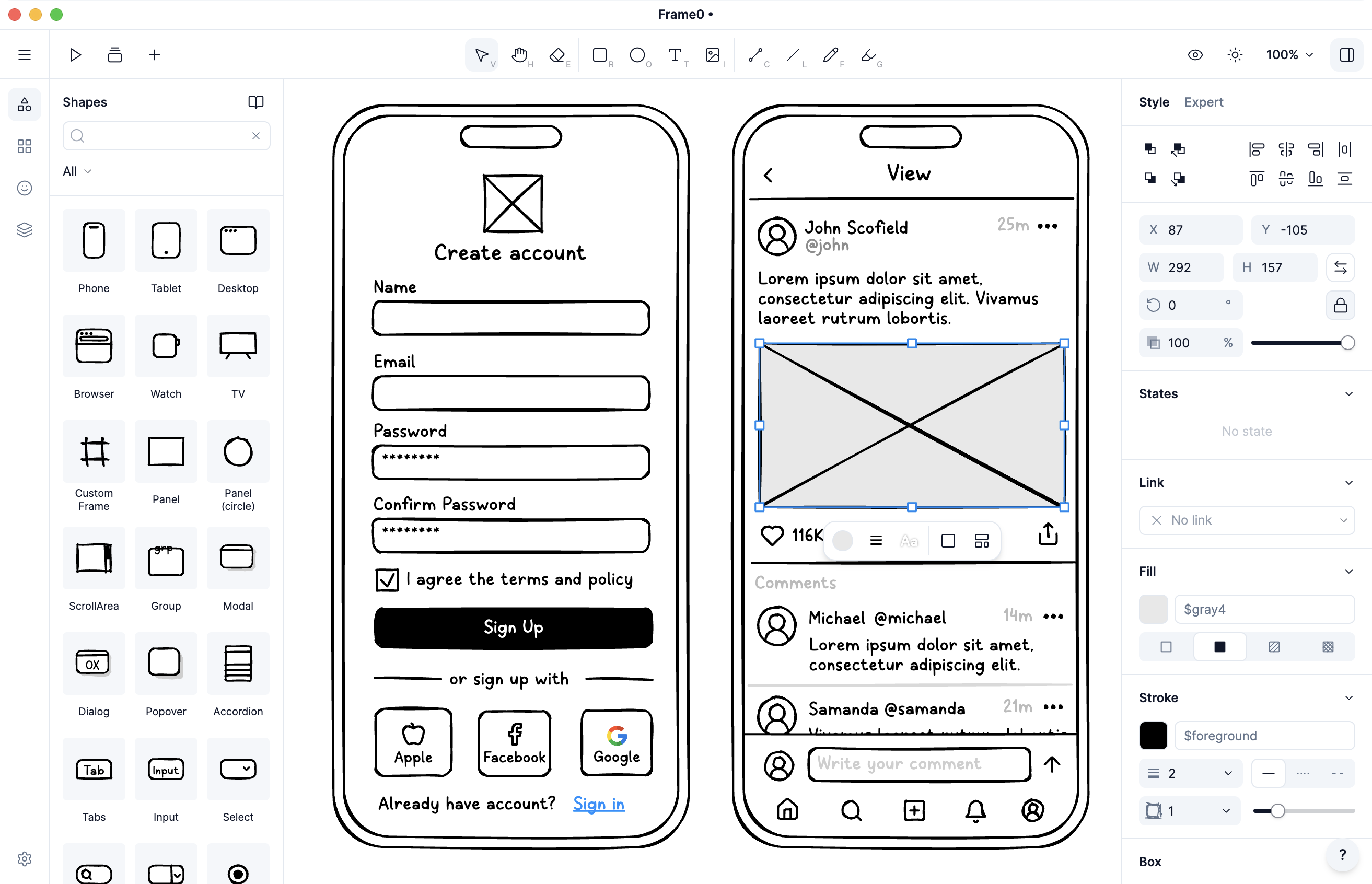 (Frame0 Screenshot)
One of the standout aspects is its focus on low-fidelity (lo-fi) wireframing. Unlike high-fidelity tools like Figma, which can tempt you into perfecting pixels too early, Frame0 keeps things rough and ready. It’s all about capturing ideas quickly with a sketchy, doodle-like aesthetic that encourages iteration without overthinking. If you’re in the early stages of product design—brainstorming user flows or validating concepts—Frame0 shines brighter than Figma because it prioritizes speed and simplicity over intricate detailing. No steep learning curve here; you can jump in and start dragging components onto the canvas in minutes.
Why Frame0 Feels Like Balsamiq’s Modern Cousin
If you’re a fan of Balsamiq (or have been searching for a replacement), Frame0 will feel like a natural upgrade. Balsamiq has long been the king of quick mockups with its charming, hand-sketched vibe, but Frame0 takes that foundation and infuses it with modern features that make it a true 21st-century alternative. Users on platforms like Hacker News and X (formerly Twitter) are raving about it, with one calling it “Balsamiq learning some tricks from Figma.” Here’s why:
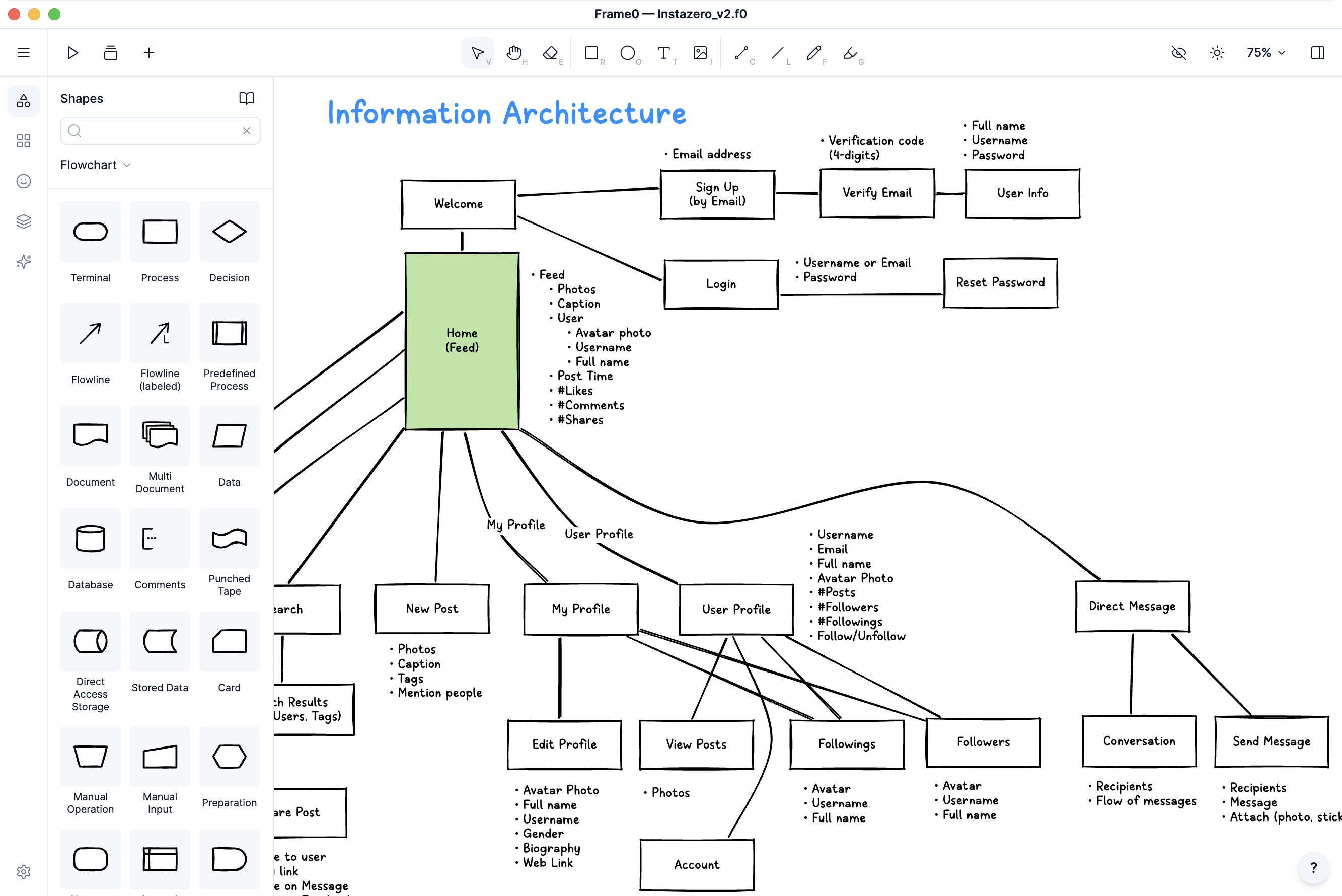 (Diagramming in Frame0)
-
Rich Library of Components and Icons: Frame0 boasts a massive collection of UI elements for various devices, complete with adjustable states (like toggles or progress bars). Plus, over 1,500 sketch-style icons from the Lucide library ensure everything looks cohesive and professional-yet-playful.
-
Mirroring and Reusability: Easily mirror frames to maintain consistency across elements like headers or nav bars— a smart touch that saves time on repetitive tasks.
-
AI-Powered Magic: The built-in AI Agent lets you chat your way to wireframes. Describe your idea, and it generates a prototype, or even converts it to code. It supports APIs from OpenAI, Anthropic, Google Gemini, or Grok, making it a powerhouse for rapid experimentation.
-
Templates and Exports: Kickstart projects with pre-designed templates for phones, tablets, TVs, and beyond. When you’re ready, link shapes for interactive navigation, present in slideshow mode, or export as live HTML prototypes, PDFs, PNGs, SVGs, and more. Premium features unlock even more, like advanced diagrams for flowcharts or UML.
What sets Frame0 apart as Balsamiq’s modern alternative is its blend of nostalgia and innovation. It retains the low-pressure, fun feel of Balsamiq’s doodles but adds cross-platform support, dark mode, freehand sketching, and collaboration tools that align with today’s workflows. No more clunky interfaces—Frame0 is sleek, fast, and fully functional right out of the gate.
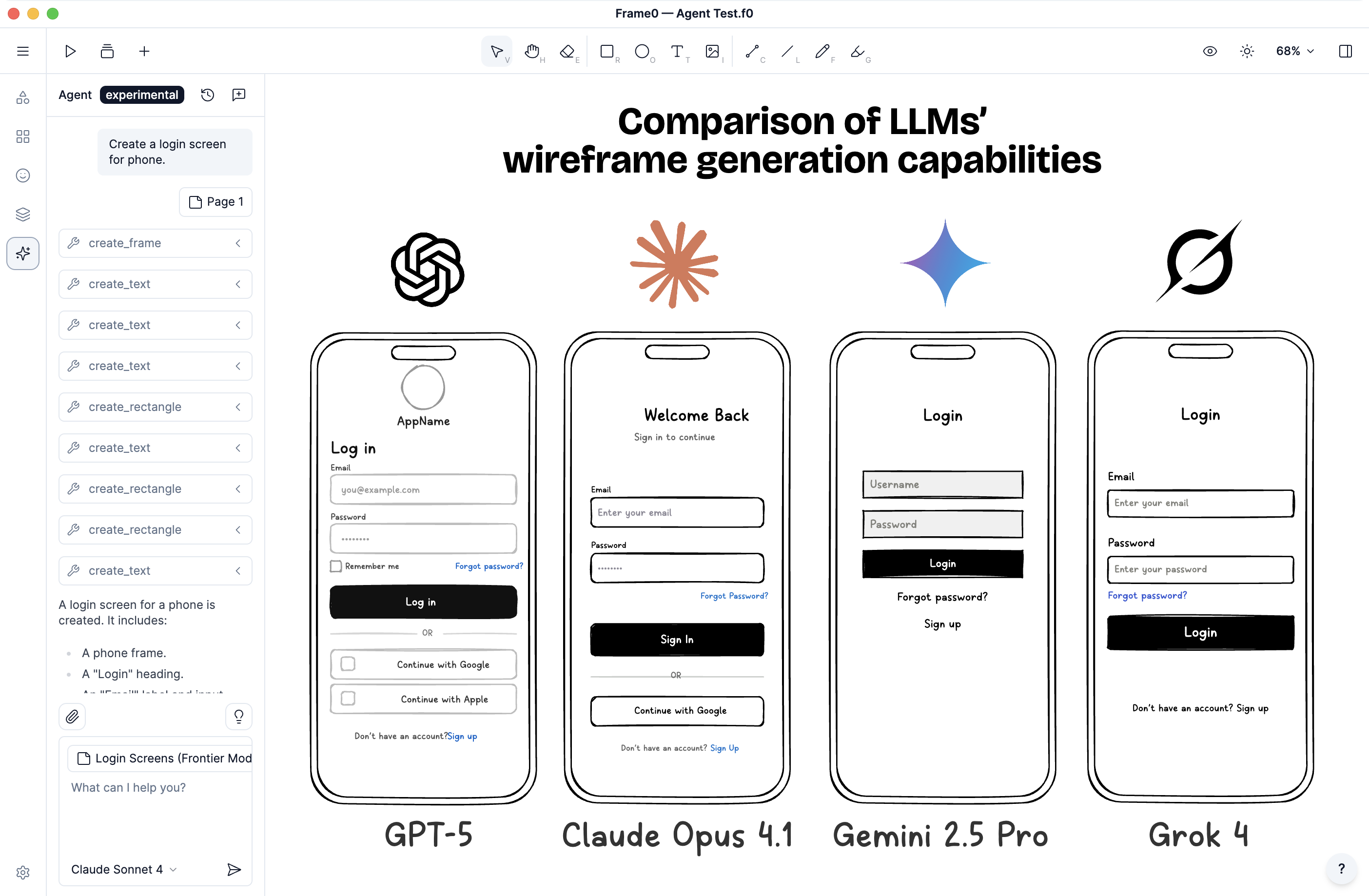 (Frame0 AI Agent)
Who Should Try Frame0?
From solo indie developers to teams at giants like Samsung and JetBrains, Frame0 is versatile enough for anyone in the design trenches. Testimonials highlight its time-saving prowess: one user saved “an hour or two” on a project, while another praised it as “the best tool for wireframing.” If you’re tired of tools that force you into high-fi mode too soon or lack the offline reliability you need, this app is a breath of fresh air.
Final Thoughts
In a world where design tools are either too basic or overwhelmingly complex, Frame0 strikes the perfect balance. It’s especially suited for those initial low-fidelity wireframes where Figma might overcomplicate things, and it serves as a refreshing, modern alternative to Balsamiq with features that keep up with evolving needs. Head over to frame0.app to download the free version and give it a spin—your next big idea might just come to life faster than ever.
What do you think? Have you tried Frame0 yet? 🚀